xEvolve

Regulated file
transfer operations.

Secure managed file transfer across cloud, SaaS, and legacy protocols.

GDPR · DORA · NIS2

A file transfer from an SFTP server to AWS S3 completing in xEvolve

Capabilities

14 protocols, one transfer record

  • 14 protocol adapters

    One dashboard for every transfer path.

    • SFTP
    • FTP
    • FTPS
    • Azure Files
    • Amazon S3
    • Azure Blob
    • Google Cloud Storage
    • Cloudflare R2
    • SMB
    • WebDAV
    • NFS
    • OneDrive
    • SharePoint
    • Google Drive
  • Entra ID SSO and TOTP MFA

    Operators sign in with Microsoft 365 through OIDC. TOTP enrollment is enforced on every account — Google Authenticator, Authy, 1Password, and other RFC 6238 apps.

  • Dedicated tenant isolation

    Each Environment gets its own Cloudflare Worker runtime, isolated database, and R2 storage bucket. Your files and audit records are never co-mingled with another customer.

  • Per-transfer audit log

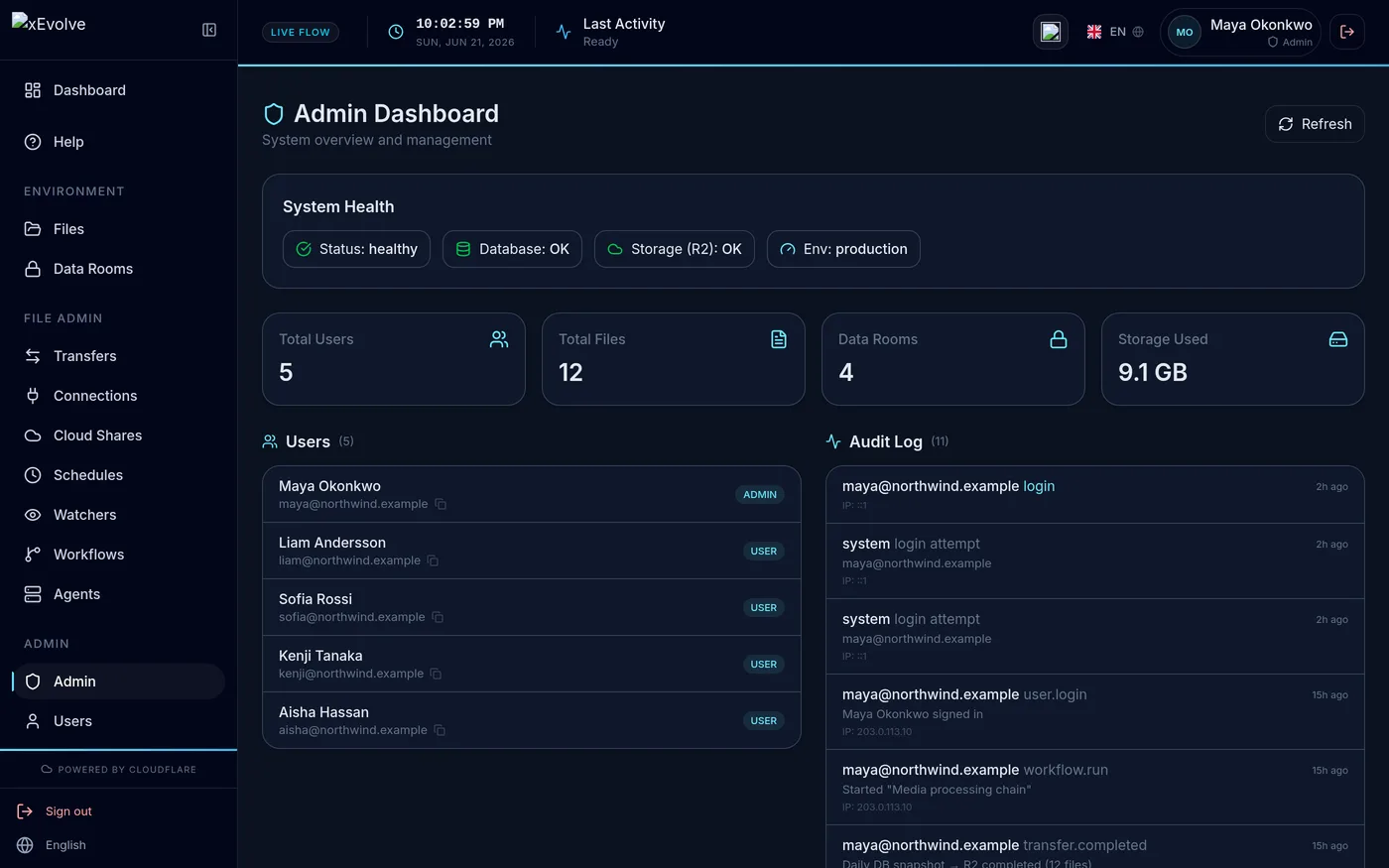
    Logins, uploads, downloads, and permission changes are recorded with user ID, IP, and timestamp. Export the audit packet for DORA, NIS2, GDPR, or vendor-risk reviews.

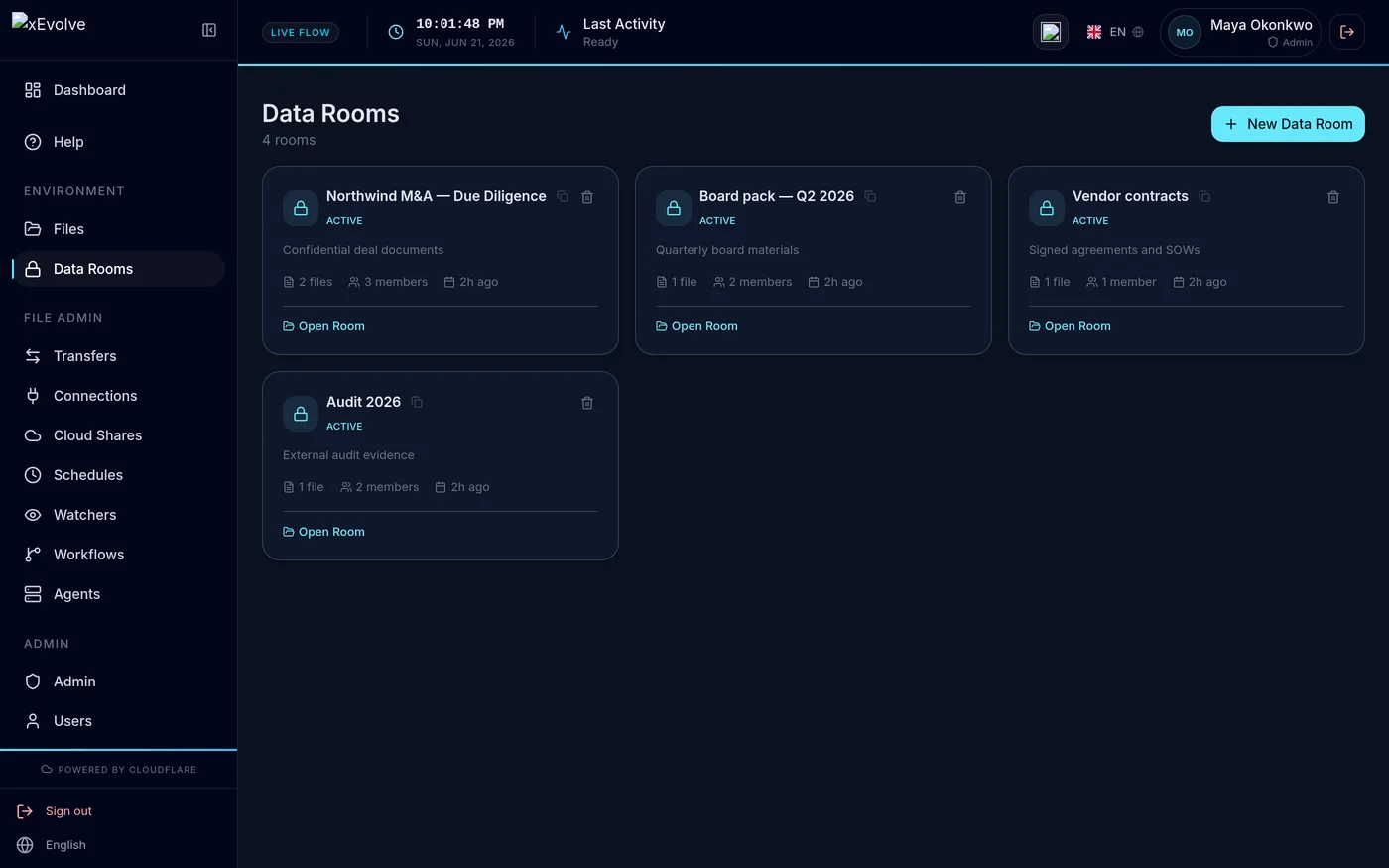
  • Secure data rooms

    Share files with external parties in a controlled room. Set viewer, editor, or manager roles per user. Every download and view is logged with actor and timestamp.

  • Multi-step Tasks on a schedule

    Chain Tasks across source → process → destination and run them on a cron schedule or on demand. In-flight processing (find/replace, zip/unzip) and reusable ${var} parameters carry your MOVEit automation logic over — all on Cloudflare Workers at the edge.

  • File notifications — transfers that fire on arrival

    Workflows trigger the moment a file lands in the source — Azure Blob Storage (Event Grid), or any system that can send a webhook. No polling intervals, no batch windows, no manual re-runs after an upstream delay. MOVEit's file notifications stop at shared folders; xEvolve covers blob storage.

  • OpenPGP payload encryption

    Encrypt outbound files with a partner's PGP public key or decrypt inbound files with your own key pair. Private keys are encrypted at rest and only used inside your Environment Worker.

The journey

From first connection to audit record.

Six short films of the real console, recorded in your language. No mock-ups, no staged screens.

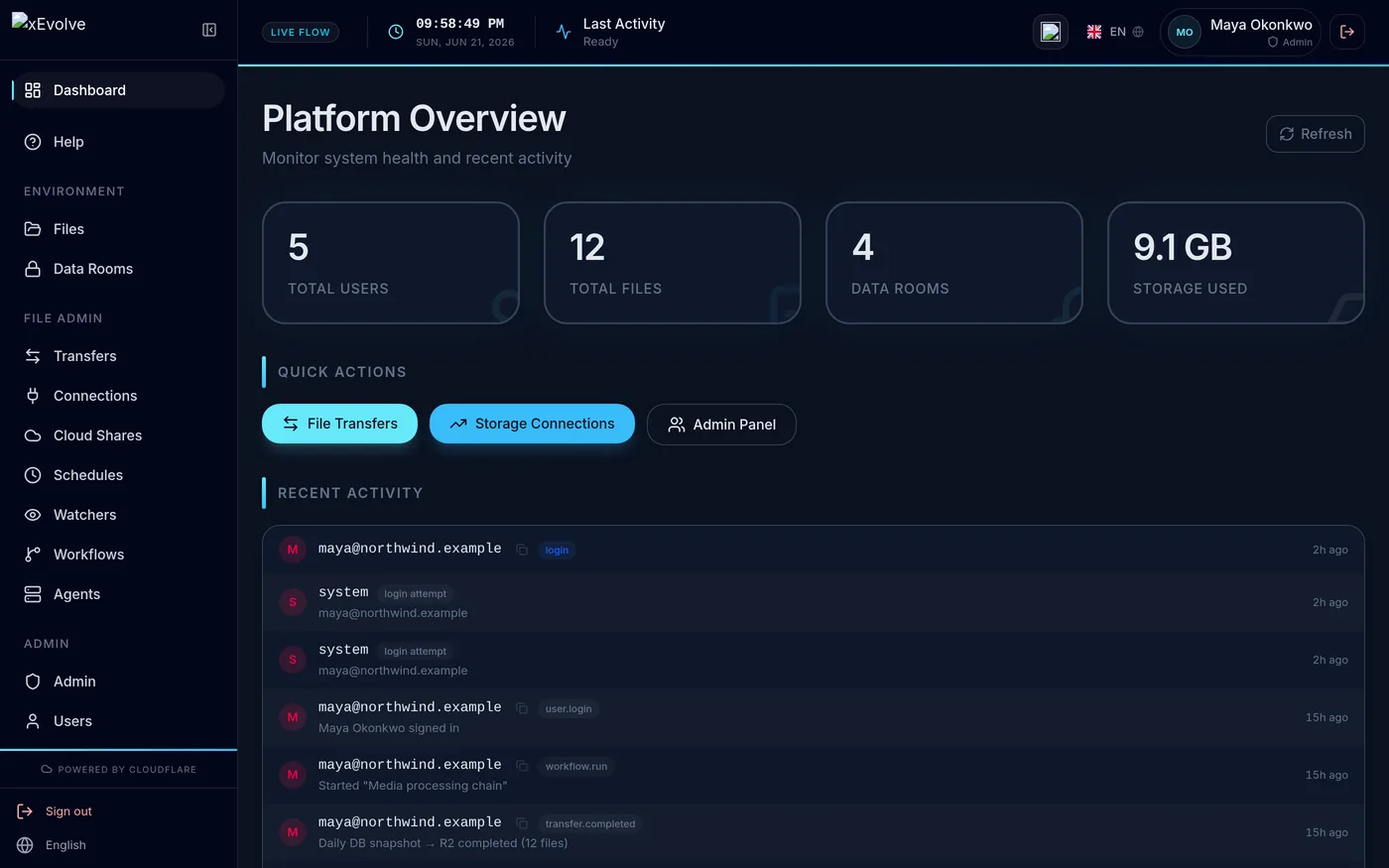
  1. The xEvolve dashboard

    Start here

    One console for every environment, transfer and open exception. This is where an operator’s day starts.

  2. Adding an SFTP connection in xEvolve

    Add a connection

    An SFTP drop from a broker: host, path, credentials. Stored encrypted, and reusable by every transfer and workflow that needs it.

  3. Creating a transfer from an SFTP server to AWS S3 and sending it

    Set up the transfer

    Name it, pick a source and a destination, press Create. The row appears at once, already running.

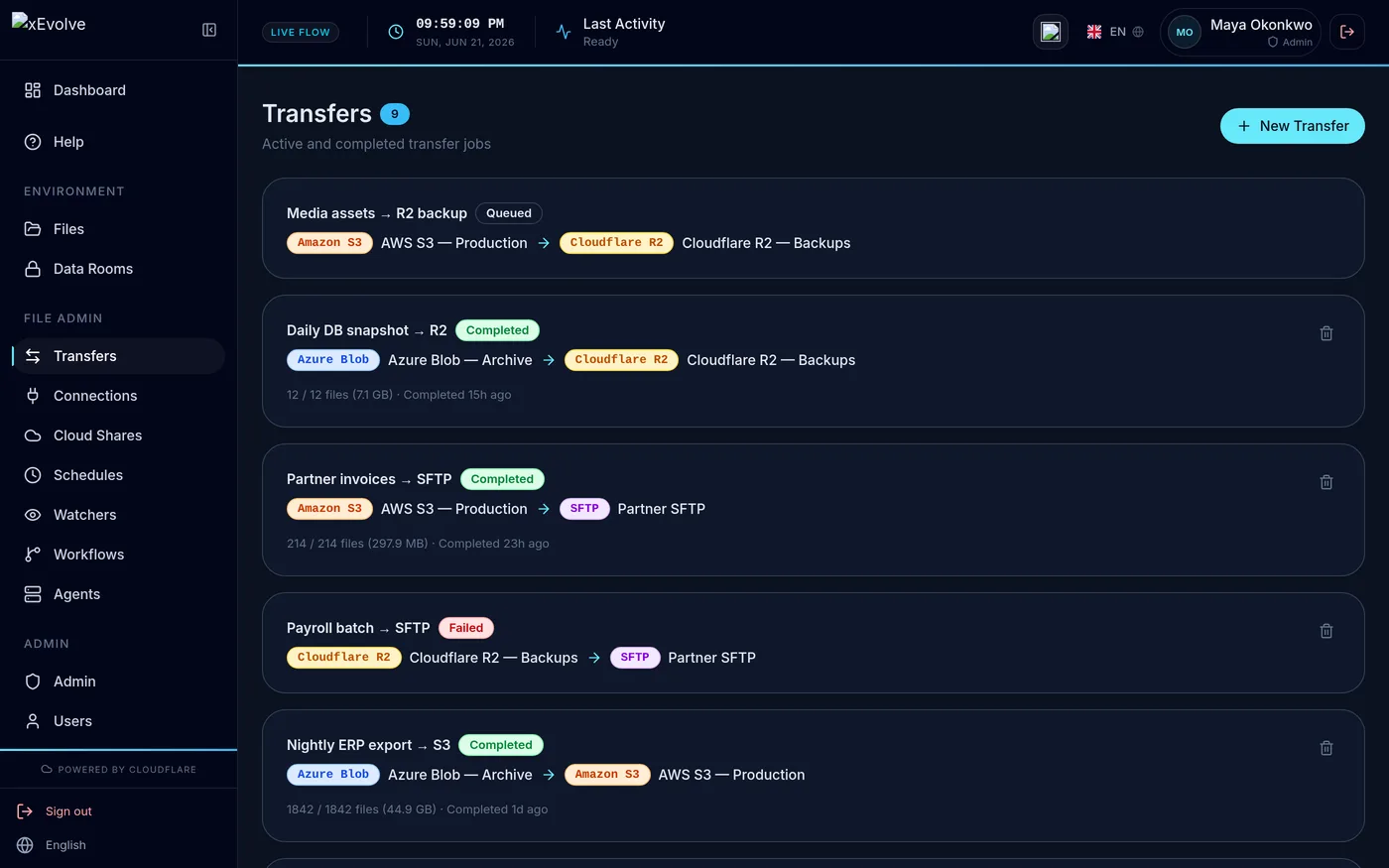
  4. The transfer completing in xEvolve

    Watch it complete

    The same row flips to Completed with its file count and size. Every state change lands on the record.

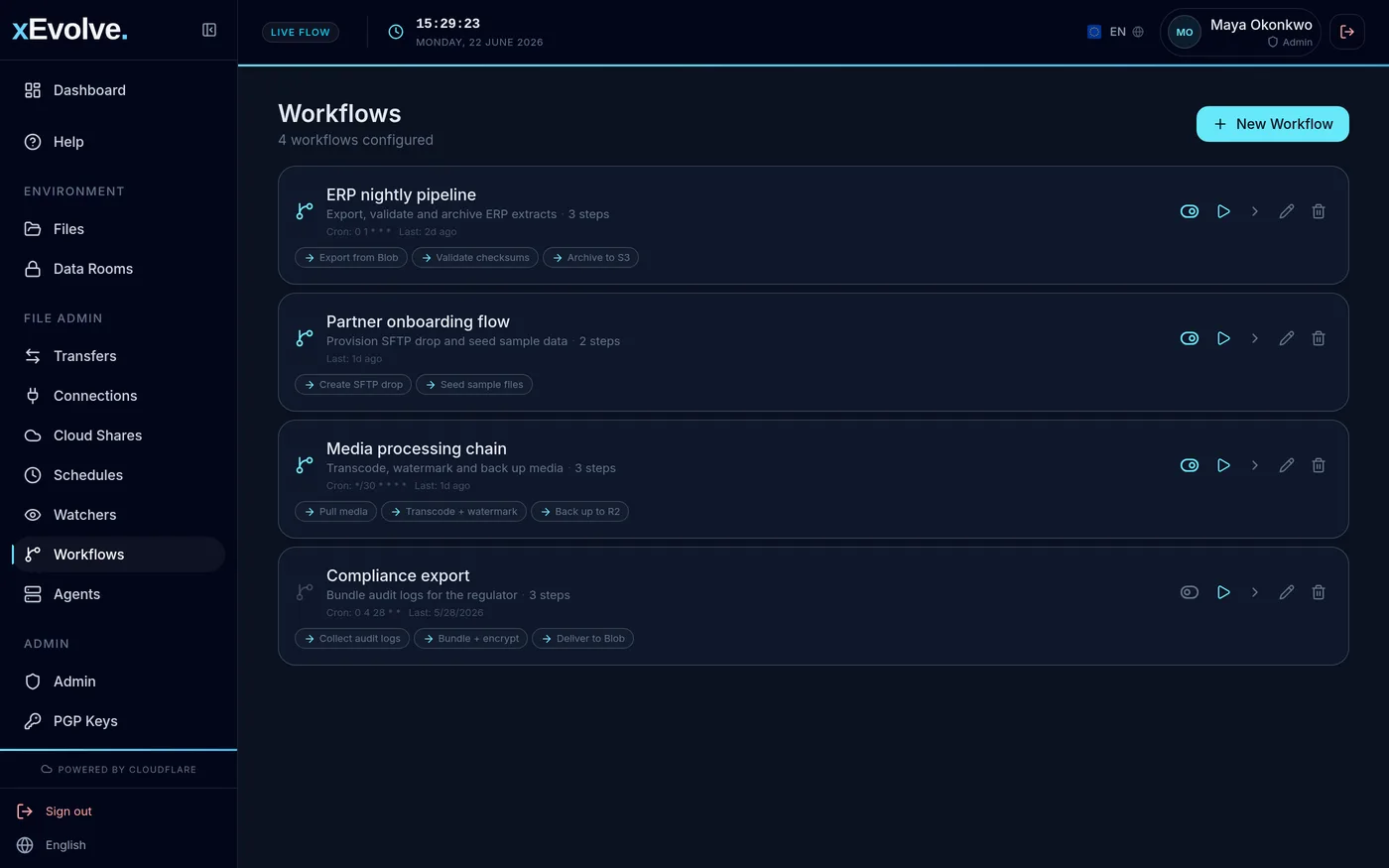
  5. Creating a workflow in xEvolve

    Turn it into a workflow

    Wire the same hop into a named workflow with a step of its own, ready for a schedule or a watcher to run it unattended.

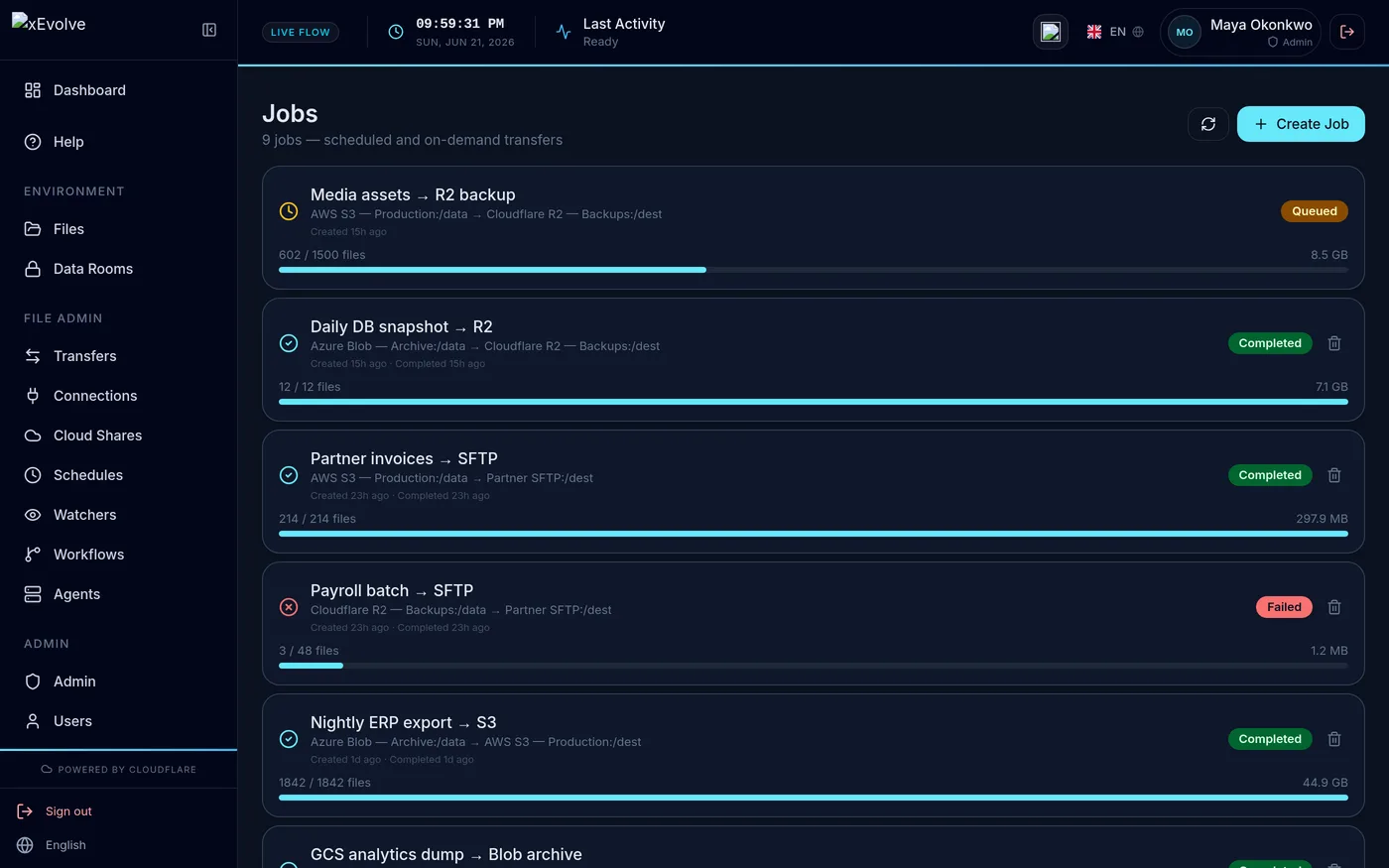
  6. The job history in xEvolve

    Read the record

    Job history keeps who moved what, where and when. It is the evidence an auditor asks for, kept as it happened.

In the product

Inside xEvolve.

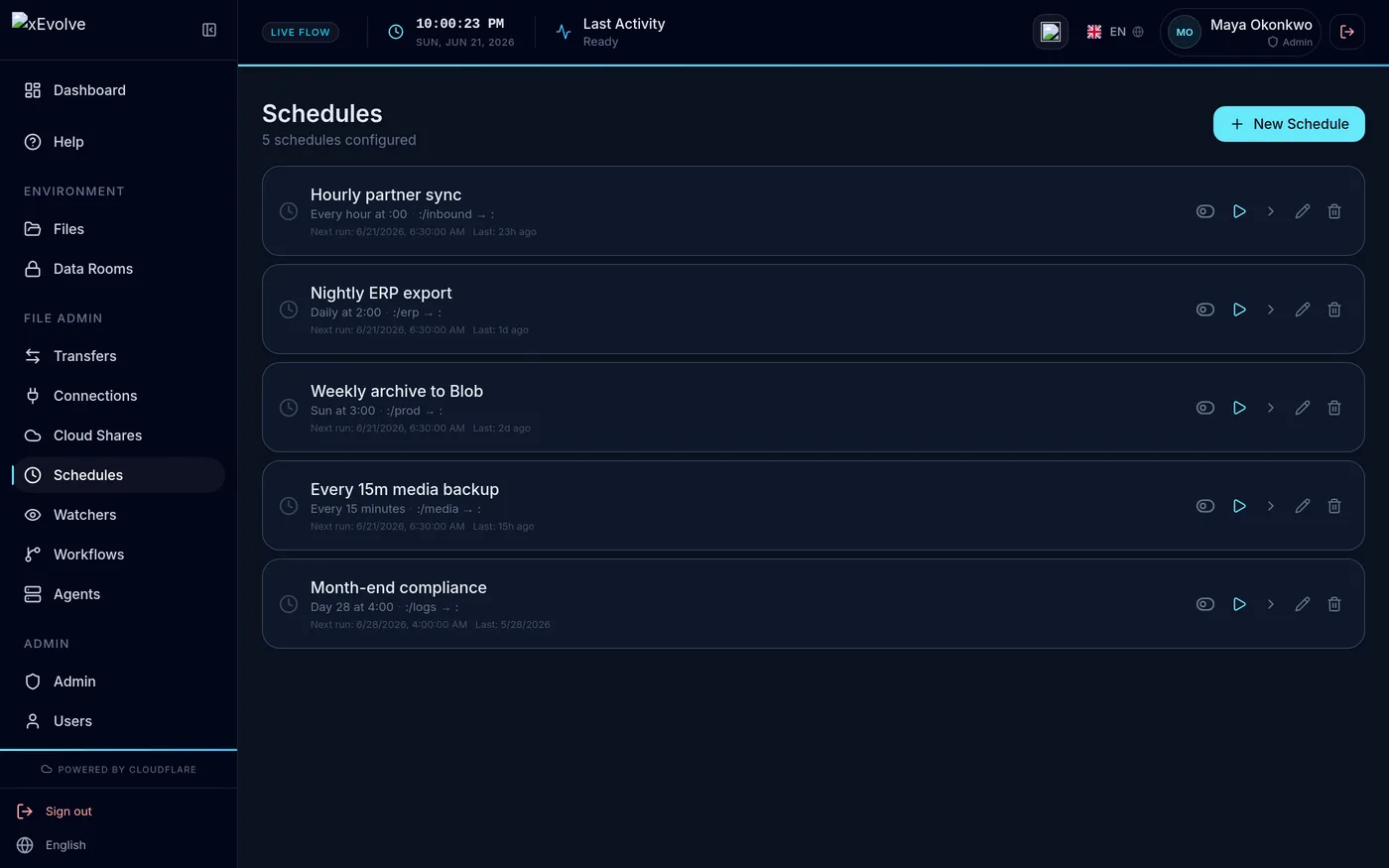
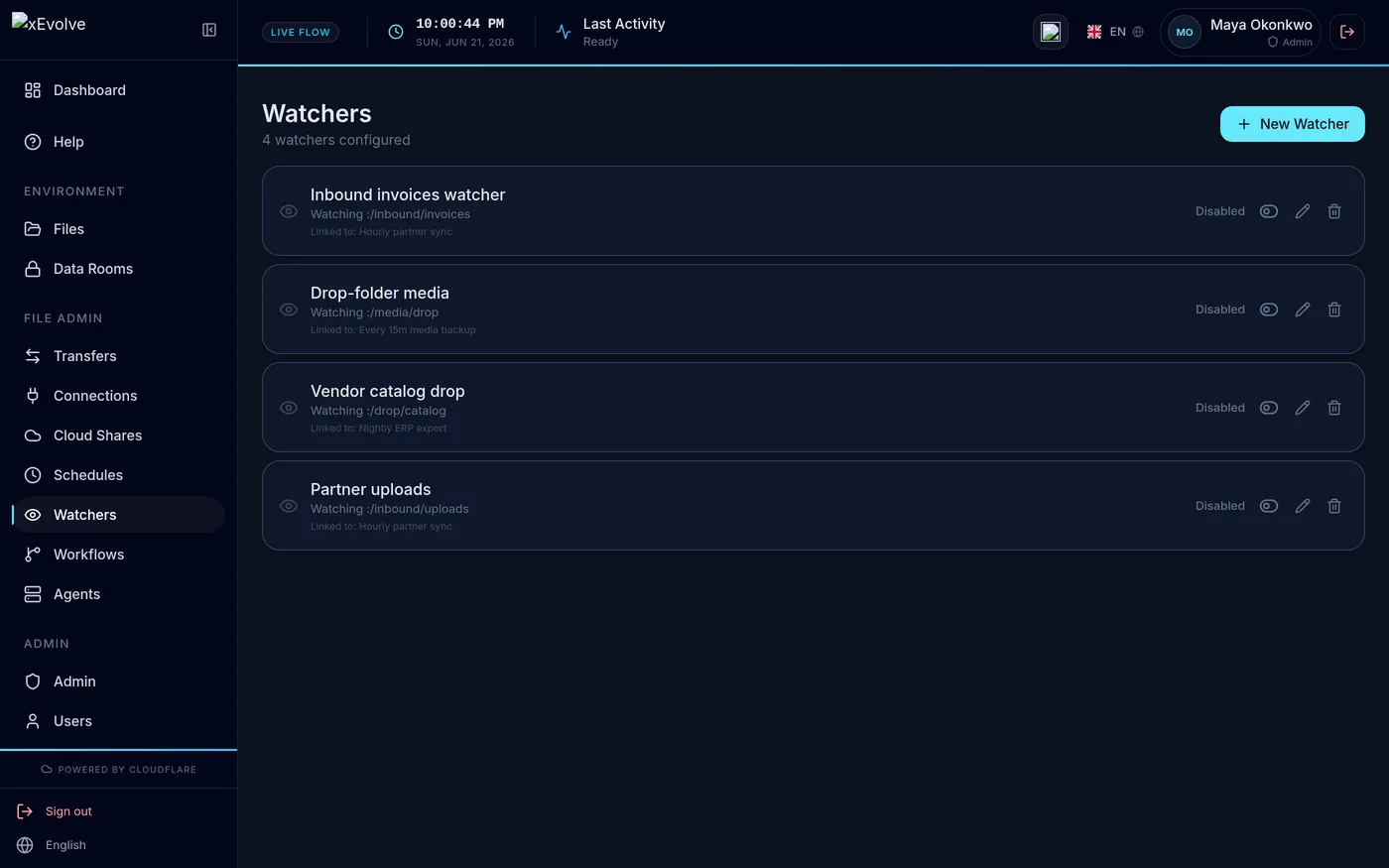
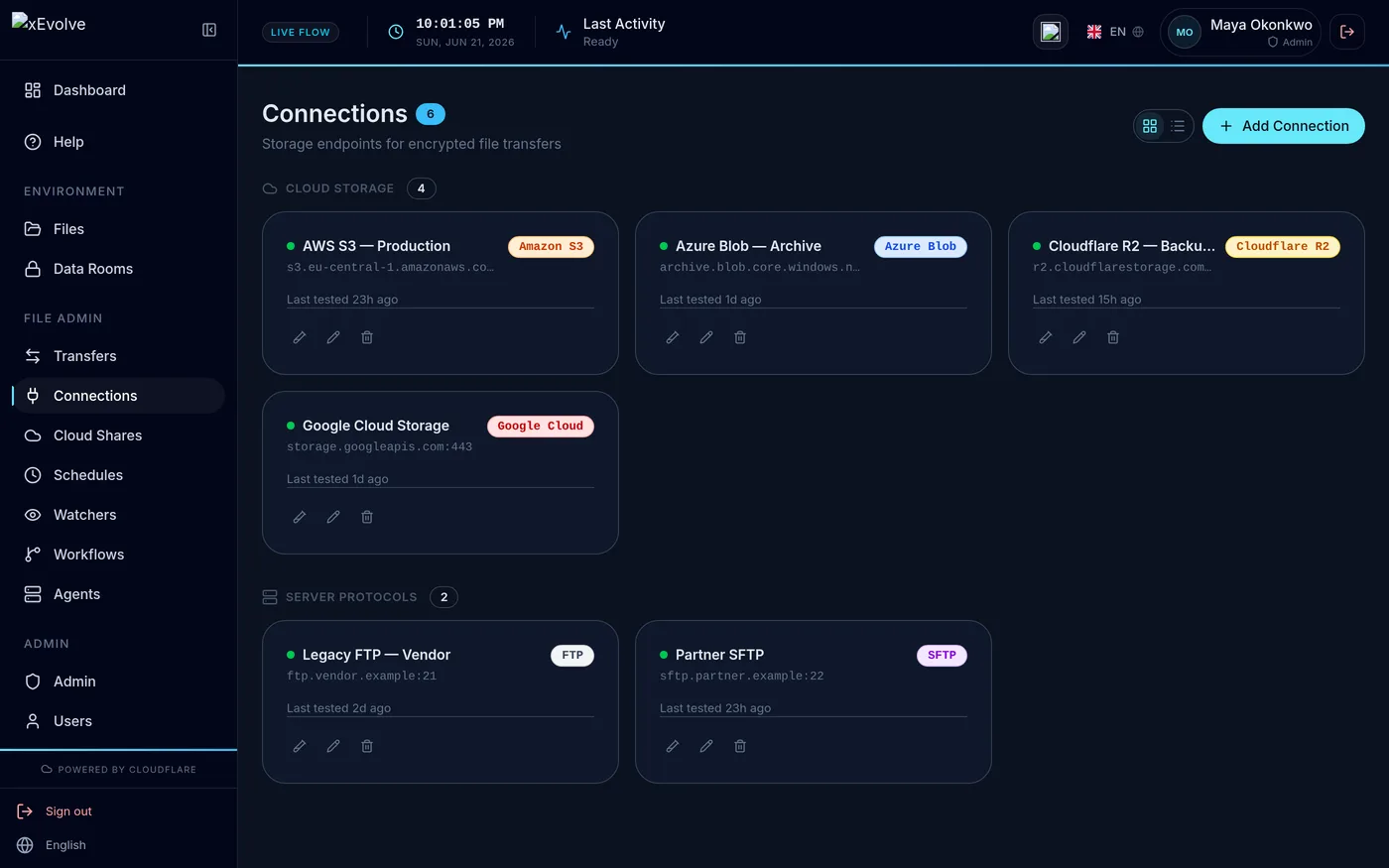
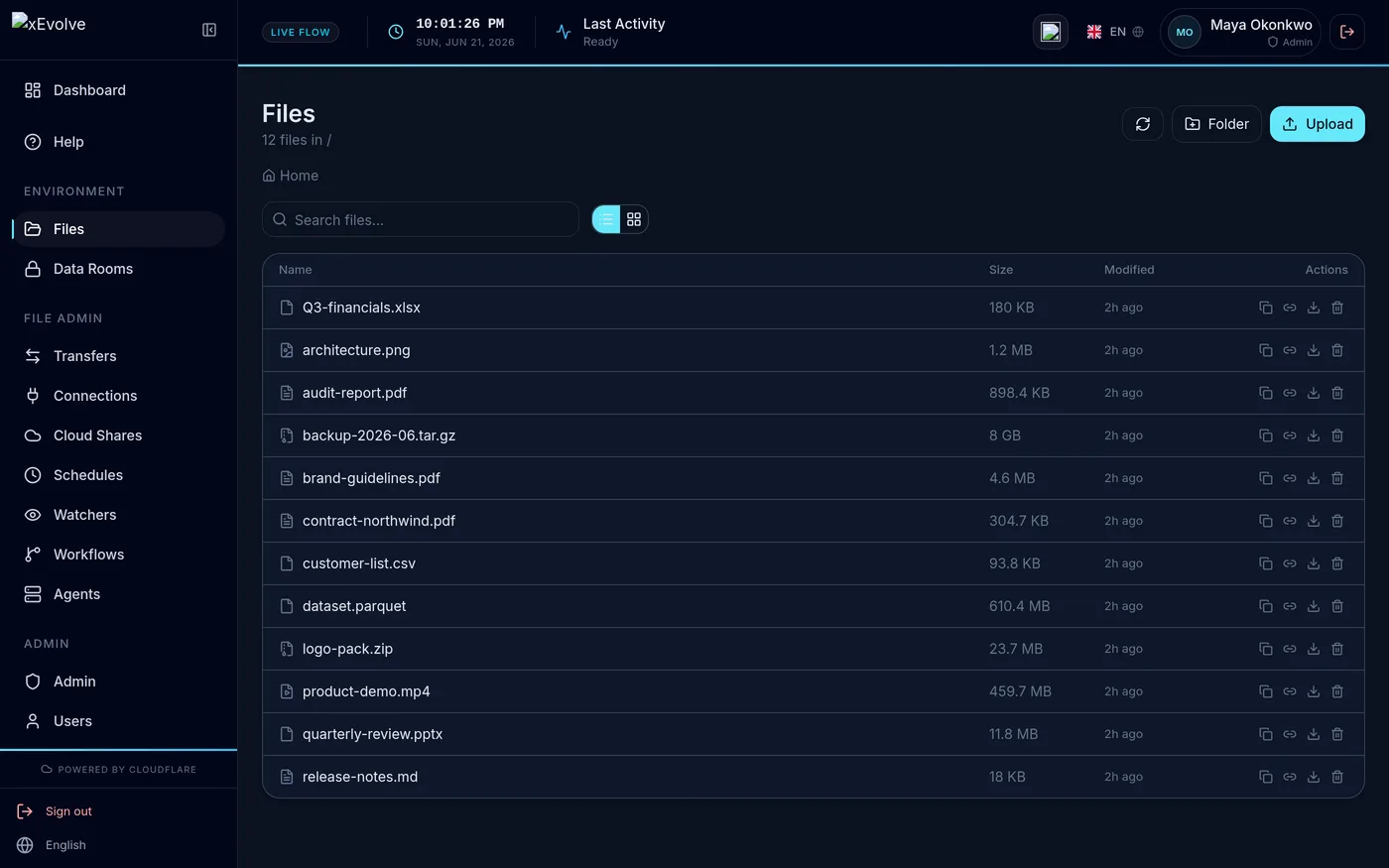
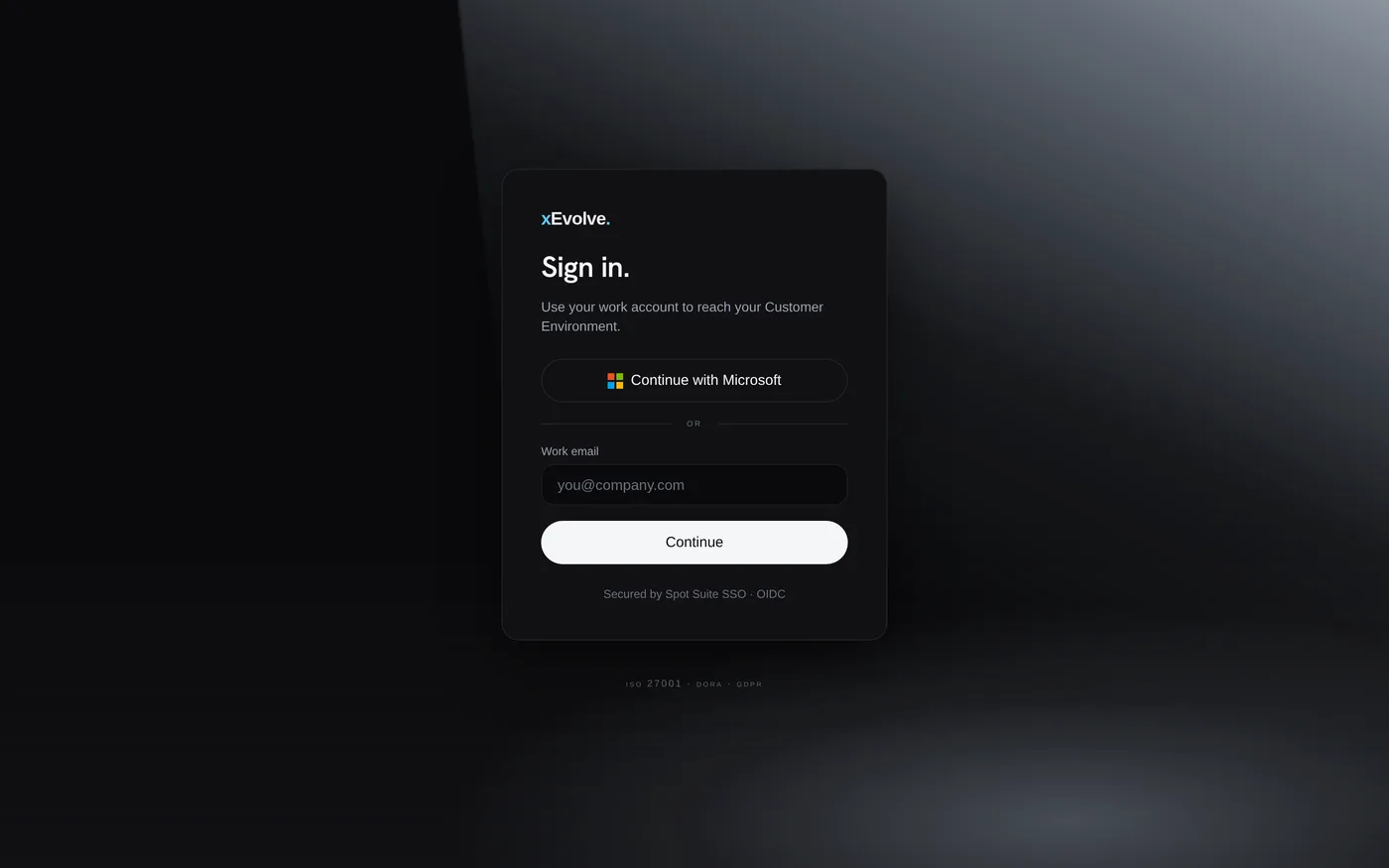
Real product screens — dashboard, transfers, jobs, workflows, schedules, watchers, connections, files, data rooms, agents, API keys, Console, and sign-in.

xEvolve dashboard with usage metrics and recent activity
xEvolve transfers screen
xEvolve jobs queue screen
xEvolve workflows screen
xEvolve schedules screen
xEvolve watchers screen
xEvolve connections screen
xEvolve files screen
xEvolve data rooms screen
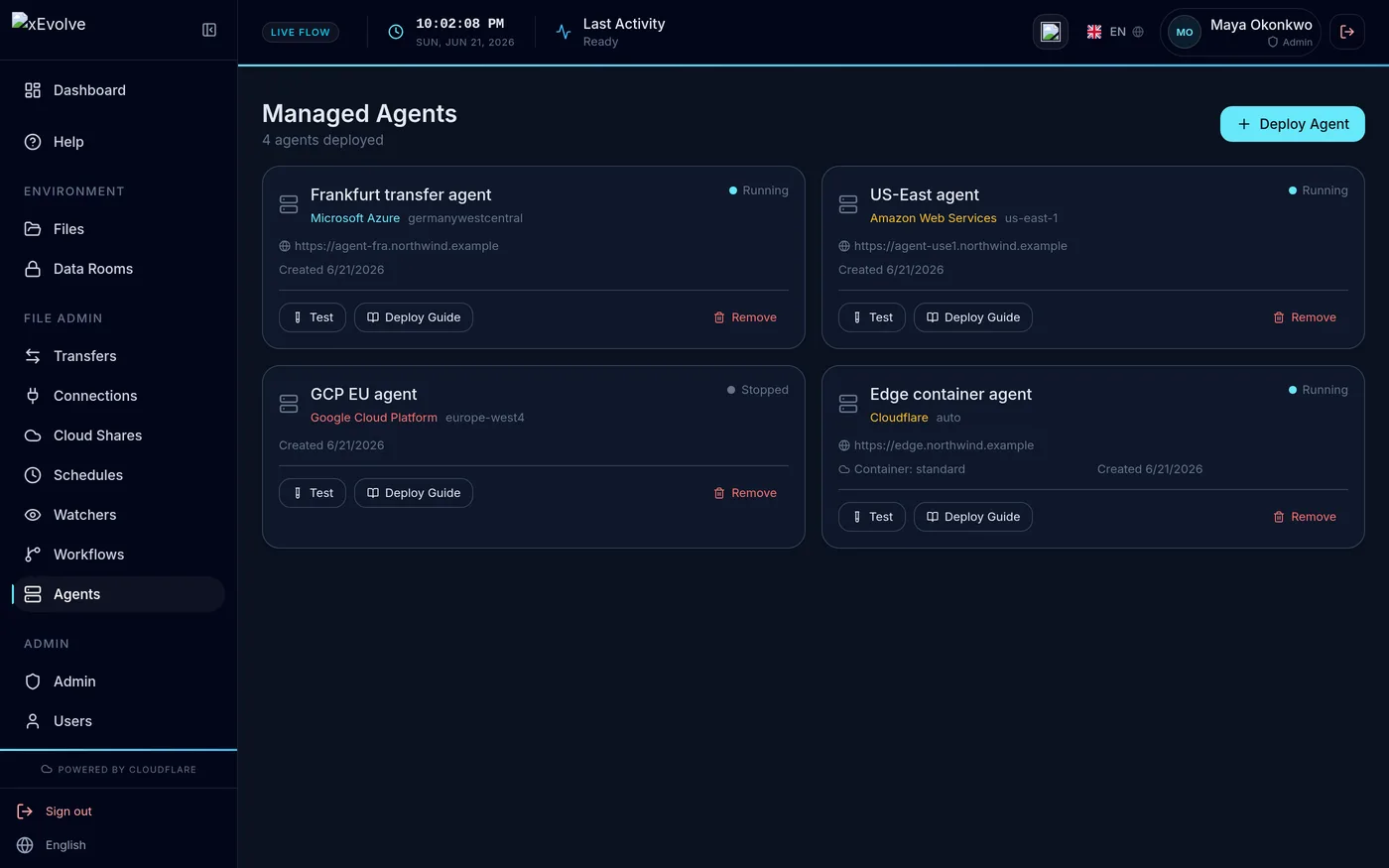
xEvolve managed agents screen
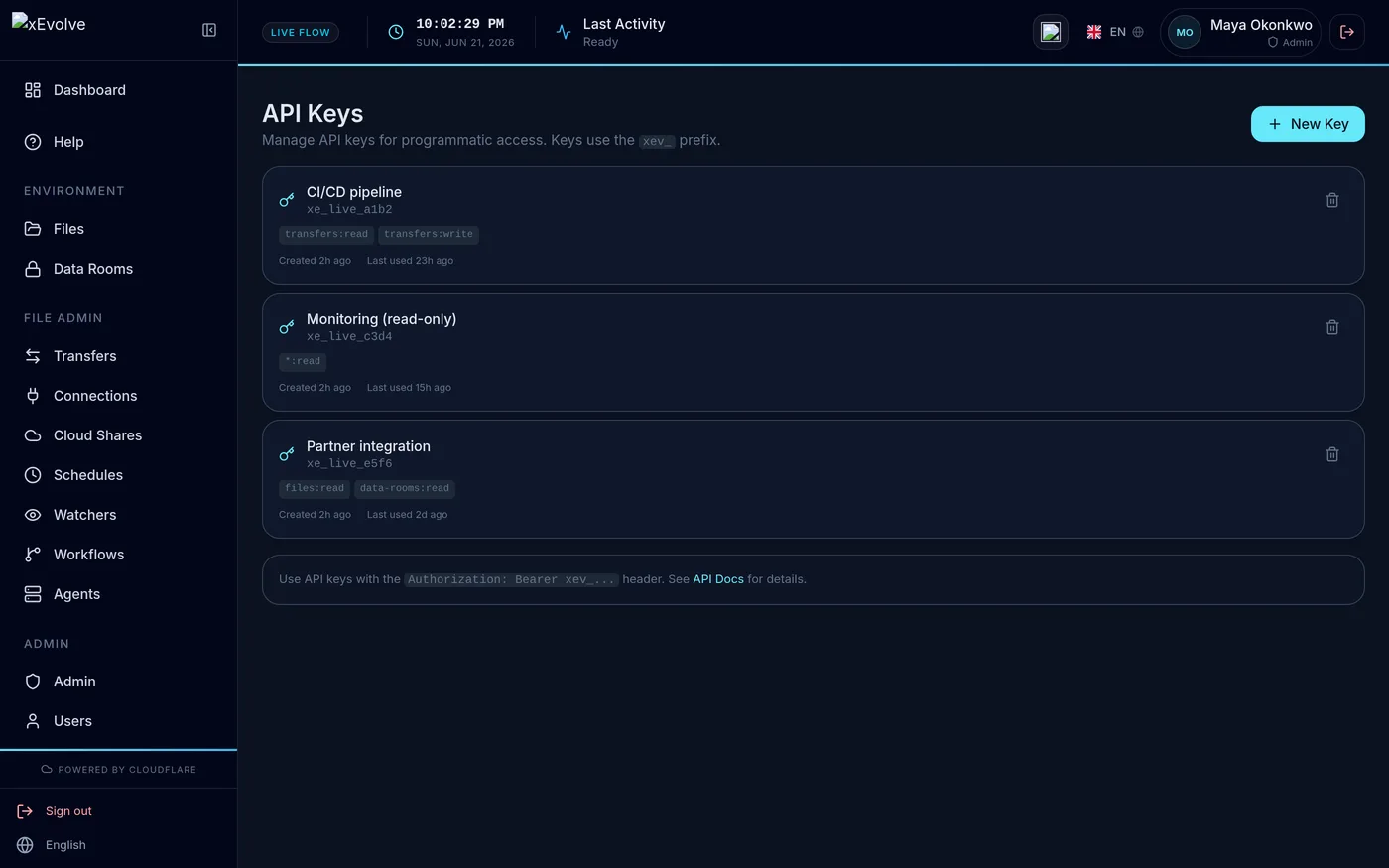
xEvolve API keys screen
xEvolve Console screen
xEvolve sign-in screen

Dashboard — users, files, data rooms, and the audit trail

Why xEvolve

Built for regulated transfer, not retrofitted.

Legacy MFT platforms were designed for bulk file movement. xEvolve was designed from scratch for operations where every transfer is an evidence event.

Capability xEvolve Legacy MFT
Audit trail Tamper-evidence on every event Immutable, per-transfer, exportable Manual, editable, siloed
Tenant isolation Your data stays yours Dedicated Worker + DB + storage per customer Shared multi-tenant infrastructure
Automation Scheduled, event-driven, conditional Cron + folder watchers + workflow branching Scheduled scripts, no branching
Payload encryption File contents encrypted end to end OpenPGP encrypt/decrypt with partner keys TLS in transit only
Compliance export GDPR · DORA · NIS2 One-click audit packet, control-mapped Manual assembly per audit
Protocol breadth One dashboard for every path 14 adapters — SFTP, FTP, FTPS, S3, Azure Blob, GCS, R2, SMB, WebDAV, HTTP(S), OneDrive, SharePoint, Google Drive, NFS Vendor-specific add-ons, separate licences

How it works.

  1. Select one critical flow

    No broad migration up front. Start with one named workflow — the protocol, counterparty, owner, and the evidence criteria you need before go-live.

  2. Dedicated environment

    Your pilot Environment is provisioned with its own Worker runtime, isolated database, and R2 bucket before any real transfer path is connected.

  3. Connect and transfer

    Add your first SFTP server or S3 bucket. Drop files into a data room. Schedule a cron job. Full audit trail from the first byte moved.

Pricing.

Dedicated infrastructure per Environment. Every plan starts with a 30-day free trial on card checkout — full protocol set and audit exports included.

Starter

€99 / month

Per Environment, per month · 30-day trial (card checkout)

  • One Environment with chain-of-custody transfer
  • Dedicated database + R2 storage
  • All 14 protocol adapters
  • Entra ID SSO and TOTP MFA
  • Audit exports
Get started

Team

€199 / month

Per Environment, per month · 30-day trial (card checkout)

  • One Environment with chain-of-custody transfer
  • Dedicated database + R2, SSO, and custom domain
  • API and webhook access
  • Retention controls and direct support
Get started

MSP

from €1,499 / month

Per Environment, per month · 30-day trial (card checkout)

  • Multi-customer transfer Environments
  • Per-customer reporting
  • White-label delivery notifications
Contact sales

Questions.

  • Where is transfer data stored?

    Each Environment gets an isolated database and a dedicated R2 storage bucket in the region you select at onboarding. Files and audit metadata are not co-mingled with other tenants. EU residency is available on Business and MSP plans.

  • How does sign-in work?

    Operators authenticate through Spot Suite OIDC with Microsoft Entra ID, Okta, or any OIDC provider. TOTP MFA is enforced on every account. Machine-to-machine access uses scoped API keys and service principals, each with their own credentials and expiry review.

  • What compliance frameworks does it map to?

    xEvolve maps evidence to CIS controls, DORA operational-resilience needs, NIS2, and GDPR. Audit trails, tenant isolation, and AES-256/TLS 1.3 encryption are included in the export packet. Formal SOC 2 certifications are not claimed — regulation mapping is shared under NDA.

  • What does the 30-day trial include?

    Every plan starts with a 30-day trial — one Environment with a dedicated database + R2, all 14 protocol adapters, Entra ID SSO, TOTP MFA, and full audit exports. Card checkout includes a 30-day free trial on one isolated Environment. When it ends, choose Starter (€99), Team (€199), Business (€499), or MSP (from €1,499) per Environment, per month, ex. VAT.

Test one regulated transfer flow

Every plan starts with a 30-day trial — one Environment, 14 protocol adapters, Entra SSO, TOTP MFA, and audit exports. Card checkout includes a 30-day free trial on one isolated Environment.